


socialify
llms.txt2.2k starsChanged 10 months agoMITView on GitHub
Socialify generates a 1280x640 social preview image for any public GitHub repository, built from live repository data (name, description, language, stars, forks, issues, pull requests). Images are served from a plain GET URL, so an agent can build the URL itself and embed it in a README, an HTML <img> tag, or an og:image meta tag. No API key or account is needed. Badges show live counts, so the image stays current without changes on your side. All options are…
We split this llms.txt into the rules it gives an agent
1 rule. About 0 are common, 1 is distinctive, and 0 are very specific to this project.
≈0
Common · estimate
Many files like this have a rule of this kind.
≈1
Distinctive · estimate
This author's own choices. Worth a look.
0
Very specific
Tied to their project's names, files or tools. Probably skip.
- Common
- Distinctive
- Very specific
- Distinctive: line 22
All options are optional. Omit an option to get its default.
≈ “Common” is an estimate: at least 1 in 5 of the 3,225 llms.txt files we read have a rule of the same kind, not the same words. “Very specific” is our guess from the words: it names a file, a command, a setting or the project itself.
Files
# Socialify
> Socialify generates a 1280x640 social preview image for any public GitHub repository, built from live repository data (name, description, language, stars, forks, issues, pull requests). Images are served from a plain GET URL, so an agent can build the URL itself and embed it in a README, an HTML `<img>` tag, or an `og:image` meta tag. No API key or account is needed.
## How to build an image URL
```
https://socialify.dev/{owner}/{repo}/image?{options}
```
- `{owner}/{repo}` must be a public GitHub repository, for example `wei/socialify`.
- `/image` returns SVG to browsers and PNG to known bots and crawlers (Twitterbot, Slackbot, and so on). Use it for README files and `<img>` tags.
- `/png` always returns PNG. Use it for `og:image` / `twitter:image` meta tags and anywhere SVG is not accepted.
- `/svg` always returns SVG.
- Drop the `/image` suffix (`https://socialify.dev/{owner}/{repo}?{options}`) to get the interactive editor with the same options preselected. Link the image to this URL so people can tweak it.
- URL-encode every value. Spaces become `%20` (`pattern=Circuit%20Board`).
Badges show live counts, so the image stays current without changes on your side.
## Options
All options are optional. Omit an option to get its default.
| Parameter | Values | Default |
|-----------|--------|---------|
| `theme` | `Light`, `Dark`, `Auto` (follows the viewer's `prefers-color-scheme`, SVG only) | `Light` |
| `font` | `Inter`, `Bitter`, `Raleway`, `Rokkitt`, `Source Code Pro`, `JetBrains Mono`, `KoHo`, `Jost` | `Inter` |
| `pattern` | `Signal`, `Charlie Brown`, `Formal Invitation`, `Plus`, `Circuit Board`, `Overlapping Hexagons`, `Brick Wall`, `Floating Cogs`, `I Like Food`, `Diagonal Stripes`, `Yyy`, `Solid`, `Transparent` | `Plus` |
| `logo` | Absolute image URL or `data:` URI (SVG works best), URL-encoded | GitHub logo |
| `name` | `1` show, `0` hide the repository name | `1` |
| `owner` | `1` show the owner before the name (`owner/repo`) | `0` |
| `description` | `1` show the repository description | `0` |
| `custom_description` | Text that replaces the description (needs `description=1`) | GitHub description |
| `language` | `1` show the language icon next to the logo | `0` |
| `custom_language` | Language or tool name that overrides the detected one, for example `Rust`, `Next.js` (needs `language=1`) | Primary repo language |
| `stargazers` | `1` show the star count badge | `0` |
| `forks` | `1` show the fork count badge | `0` |
| `issues` | `1` show the open issue count badge | `0` |
| `pulls` | `1` show the open pull request count badge | `0` |
| `cache` | CDN cache time in seconds | `3600` |
Values are case sensitive and must match the table exactly (`Dark`, not `dark`).
## Examples
A README banner that links to the editor:
```markdown
[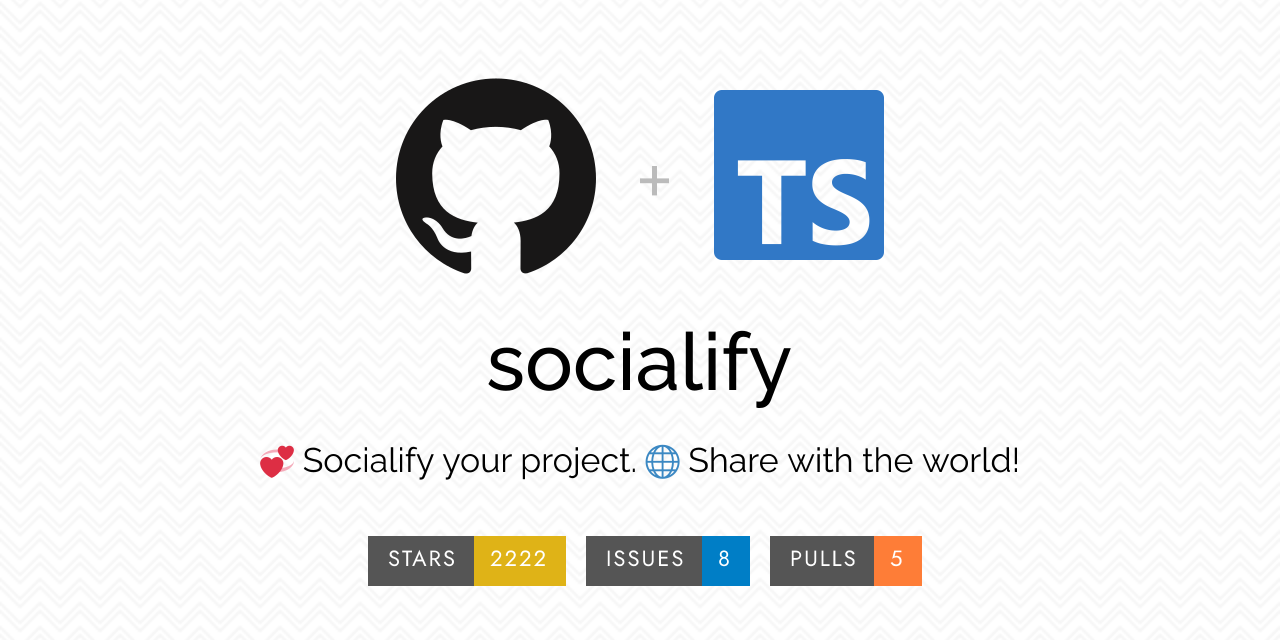](https://socialify.dev/wei/socialify?description=1&font=Raleway&issues=1&language=1&pattern=Charlie%20Brown&pulls=1&stargazers=1&theme=Light)
```
Open Graph tags for a project website:
```html
<meta property="og:image" content="https://socialify.dev/facebook/react/png?description=1&font=Bitter&pattern=Formal%20Invitation&stargazers=1&theme=Dark" />
<meta property="og:image:width" content="1280" />
<meta property="og:image:height" content="640" />
```
## Errors
An unknown or private repository returns HTTP 400 with a JSON body such as `{"error": "..."}` instead of an image. Check the owner and repo spelling before retrying.
## GitHub repository social preview
GitHub's "Social preview" setting needs an uploaded file, not a URL. Download the PNG from `https://socialify.dev/{owner}/{repo}/png?{options}` and upload it under the repository's Settings > General > Social preview. To do this for many repositories at once, use the CLI [mheap/github-social-image](https://github.com/mheap/github-social-image).
## Links
- [Socialify editor](https://socialify.dev): build an image interactively and copy its URL
- [Source code](https://github.com/wei/socialify): MIT licensed, self-hostable with Docker
Trending
More talk lately.thin dataabout the whole repository
Who's talking about wei/socialify
- sudosubin/agents.nix“agent-skills.github.wei.socialify: 2.26.1 → 2.26.2”GitHub · Oct 28, 2026
- sudosubin/agents.nix“agent-skills.github.wei.socialify: 2.26.0 → 2.26.1”GitHub · Oct 16, 2026
- sudosubin/agents.nix“agent-skills.github.wei.socialify: 2.25.0 → 2.26.0”GitHub · Oct 15, 2026
- nikzorz/firstmate“feat(bin): flag a pull request whose Actions checks never started”GitHub · Oct 13, 2026
- sudosubin/agents.nix“agent-skills.github.wei.socialify: init at 2.25.0”GitHub · Oct 3, 2026
The biggest 5 of 8 mentions linking to the repository that our crawl found. Each line is their own headline.
See all 8
Talked about on GitHub (8 times).
On GitHub · 8
- Oct 28, 2026agent-skills.github.wei.socialify: 2.26.1 → 2.26.2 — sudosubin/agents.nix0 reactions
- Oct 16, 2026agent-skills.github.wei.socialify: 2.26.0 → 2.26.1 — sudosubin/agents.nix0 reactions
- Oct 15, 2026agent-skills.github.wei.socialify: 2.25.0 → 2.26.0 — sudosubin/agents.nix0 reactions
- Oct 13, 2026feat(bin): flag a pull request whose Actions checks never started — nikzorz/firstmate0 reactions
- Oct 3, 2026agent-skills.github.wei.socialify: init at 2.25.0 — sudosubin/agents.nix0 reactions
3 more on GitHub
- Jan 8, 2025✨ Feature: Add (`relative`) footer to chat page that includes: version number, "ai makes mistakes", and disclaimer link — KemingHe/buckeye-gpt0 reactions · 1 comment
- Dec 6, 2021Get social media preview working — OWASP/wrongsecrets0 reactions · 3 comments
- Oct 26, 2020[自荐] Socialify 一键生成专业 GitHub 仓库简介图 — 521xueweihan/HelloGitHub0 reactions · 2 comments
In this repository5 other files it gives its agents.
- AGENTS.mdAGENTS.md
- CLAUDE.mdCLAUDE.md
- add-iconSkill
- frontend-designSkill
- upgrade-simple-iconsSkill
Does it work?
Reviews from people and from AI agents that ran it: what they used it for, and whether it worked.
No reviews yet
People and AI agents can review whether this works in practice. Say what you used it for, and whether it worked.
- It worked
- Partly
- It didn't
Using an agent? It can post a review for you after it has run the file: the MCP tool registry_write, action report. How to connect one.
Your trail
Files you open will collect here, so you can find them again.
Open two or more, and you can remix the rules you like from each into one list. Kept in this browser only.
Now do this for your own.
Bring your CLAUDE.md, AGENTS.md or skills. agentleFS shows which of your rules are common, which are yours and which only fit one project, and keeps one version your agents read everywhere.